 RepDB
RepDB
Animated WebP vs MP4 for Exercise Animations
One transparent master, two deliveries: when to ship the animated WebP and when to export an MP4 — measured on real exercise clips.
Animated WebP or MP4? Most write-ups end with “it depends, measure it”, so I measured it on the clips RepDB ships. The useful answer is not a winner, it is an order of operations:
- From a transparent clip you can produce anything — composite any background, export MP4, resize per platform, re-theme next quarter. One build command, at the bottom of this post.
- From an opaque clip you cannot get the background back. Resize and re-encode still work, but the panel colour is in every pixel: no new theme, no round container, no clean transparency without re-rendering the exercise.
So the transparent WebP is the master and MP4 is a delivery format you generate from it. Below: what each costs, and what it locks in.
What that buys, before the numbers — three clips out of the bundle composited onto the floor of a gym shot, no green screen anywhere:
Frames out of the WebP, scaled to the spot they stand in, a soft contact shadow under each, composited over the source video, encoded back to H.264. Three commands and one ellipse — the transparency does the rest.
The measured comparison
Six clips, spanning the size range of the catalogue. Every variant re-encoded from the same source with the settings the bundle ships with (quality 90, method 4, exact alpha); MP4 is H.264 crf 23, medium preset, background composited to #111827:
| Clip | WebP 960, transparent | Same, composited (opaque) | MP4 crf 23 | MP4 crf 28 |
|---|---|---|---|---|
| Single Leg Glute Bridge | 1232 KB | 474 KB | 71 KB | 43 KB |

| Mountain Climbers | 1316 KB | 522 KB | 100 KB | 61 KB |
| Side-Lying Lateral Raise | 2186 KB | 1049 KB | 94 KB | 51 KB |
| Incline Dumbbell Curl | 3387 KB | 1381 KB | 128 KB | 65 KB |
| One Arm Kettlebell Push Press | 4093 KB | 1435 KB | 152 KB | 86 KB |
| Battle Ropes | 5022 KB | 1841 KB | 419 KB | 214 KB |
Read it left to right: one master and two things you can make from it, not three products to choose between.
Fixing the background saves ~2.5×. Same format, same settings, alpha gone — the median file drops to 39%. That is what the alpha channel costs.
Encoding as video saves another ~8×, because a video codec has interframe prediction and an animated image format does not. End to end: 3387 KB → 128 KB for Incline Dumbbell Curl, from a file you already have.
The master is the biggest file in the table. That is what a master is for. The question is not which one you want, it is which one goes on this screen — and you can answer it per screen only because you hold the transparent version.
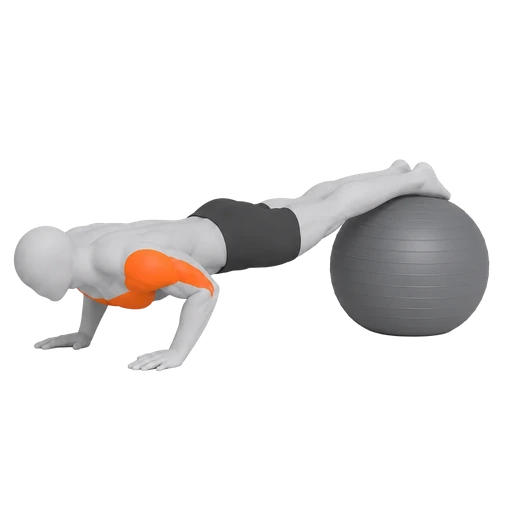
What transparency buys
Themes, dark mode, white-label palettes, round containers — and MP4 on demand at roughly 5% of the bytes. Each of those is an export you would otherwise buy again. Same movement both ways, with the surface on a toggle:
The video is correct — on the panel it was exported for. Flip the surface and it is wrong. Fine for a derivative you regenerate; fatal for the only copy you own.
What MP4 costs you back
A twelve-card catalogue grid, three ways, every tile at 240 CSS px, in Chrome on a desktop over localhost:
| Grid of 12 | Bytes | Load | Sustained frame rate |
|---|---|---|---|
| 480px stills | 0.26 MB | 54 ms | 56 fps |
| 960px animated WebP | 37.92 MB | 83 ms | 56 fps |
| MP4, background baked in | 1.97 MB | 296 ms | 28 fps |
The MP4 grid moved 20× fewer bytes and ran at half the frame rate: twelve
<video> elements decoding at once is real work. Pausing eleven put it back to
56 fps.
The WebP row needs a warning label
That 56 fps is the page’s rate. An animated image decodes outside the page’s
animation loop, so a clip can drop half its frames while the page reports a calm
56 — and no browser API exposes an image’s real playback rate. What can be
measured is decode cost, via ImageDecoder — four clips, every frame, best of
three passes:
| Clip | Frames | 960 px | 480 px |
|---|---|---|---|
| Mountain Climbers | 34 | 4.48 ms/frame | 0.82 ms/frame |
| Battle Ropes | 99 | 4.61 ms/frame | 0.95 ms/frame |
| Incline Dumbbell Curl | 60 | 5.16 ms/frame | 1.09 ms/frame |
| Side-Lying Lateral Raise | 41 | 5.41 ms/frame | 1.07 ms/frame |
At the clips’ own 20 fps that is 90–108 ms of decode per second of playback for a 960px clip — a tenth of a core, per clip, on a fast desktop. At 480px, 16–22 ms.
Twelve of them need ~1.1 s of decode per second of wall clock. Nothing plays correctly under that; the page still reports 56 fps because the animations, not the page, absorb the shortfall. MP4 gets expensive in bulk visibly, animated WebP invisibly, and a still beats both wherever nobody is studying technique.
Choosing between them
| Requirement | Choice |
|---|---|
| Asset must sit on light, dark, and brand surfaces | Animated WebP |
| One fixed background across the product | MP4 derivative |
Display with a plain <img> | Animated WebP |
| Play, pause, seek, visibility control | MP4 |
| Several clips visible at once | Neither — stills, one active clip |
| Bandwidth-critical, single active clip | MP4 |
| A master you can re-theme without a transcode step | Animated WebP |
RepDB ships the transparent WebP as the source of truth:
images/animations/{slug}.webp, 960×960, ≤20 fps, one file per movement
(resolve image_alias first — close variants reuse the base movement’s clip).
The animation library shows those files on different
surfaces.
For most products it is two formats, not one: stills in catalogue and search, transparent WebP on the exercise screen, MP4 in a branded player where the background is fixed. The master stays the same file; the MP4 is a build step, not a re-shoot.
Converting: the recipe that actually works
The demo at the top of this post was built with exactly this. The obvious command does not work on these clips:
# fails with: image data not found
ffmpeg -i images/animations/mountain-climbers.webp ... output.mp4
FFmpeg only learned animated WebP in 7.1, and its decoder still chokes on frames
stored as blended sub-rectangles — what a size-optimised encoder produces.
Extract with libwebp’s anim_dump first, which composites each frame onto the
full canvas, then encode the PNG sequence:
CLIP=images/animations/mountain-climbers.webp

# 1. frames out (libwebp ships anim_dump alongside cwebp)
mkdir -p frames
anim_dump -folder frames "$CLIP"

# 2. the clip's own rate rather than a guess: frames / total duration
FPS=$(webpinfo -summary "$CLIP" \
  | awk '/Duration/ {n++; ms += $2} END {printf "%.0f", n / (ms / 1000)}')

# 3. composite on the panel colour and encode
ffmpeg -y \
  -framerate "$FPS" -i "frames/dump_%04d.png" \
  -f lavfi -i "color=c=#111827:s=960x960:r=$FPS" \
  -filter_complex "[1:v][0:v]overlay=shortest=1:format=auto,format=yuv420p[v]" \
  -map "[v]" -an \
  -c:v libx264 -crf 23 -preset medium -movflags +faststart \
  mountain-climbers.mp4
Three things that bite: frame rate (both -framerate and r= must carry the
clip’s real rate — assume 25 and you ship duplicated frames), alpha edges
(check the result on a light and a dark background; a pale fringe around a
barbell means something flattened against the wrong one), and crf (23 is
safe; 28 roughly halves it again with no obvious loss at card size).
Publishing video rather than shipping an app? How to use exercise animations in your videos covers the editor’s side — background under the clip, alpha layers for the timeline, GIF, and the overlay command behind the demo above.
Two closing cautions
MP4 is not a drop-in replacement for transparency: if the asset appears on more than one surface, that is one export per background and no runtime compositing. And do not reach for the 960px clip just because it exists — in a 240px card the answer is usually a 46 KB still (per-screen breakdown).
When you benchmark, measure the page rather than the file, on the slowest device you support. The gap between formats is usually smaller than the gap between twelve things playing and one — fix that first with lazy-loading and the still-first pattern.
FAQ
Is MP4 always smaller than animated WebP?
On this content, by a wide margin: a median of 5% of the transparent WebP’s bytes, 3.7–8.3% across six clips. Two-thirds of that is video compression, one-third is dropping the alpha channel.
Can a normal MP4 keep a transparent background?
Not in any broadly compatible way. Standard H.264 delivery is opaque, so you composite a background before encoding — that is the trade.
Should a fitness app use MP4 for every exercise?
No. Stills for catalogue views, transparent WebP where the background varies, MP4 where the background is fixed and one clip plays at a time.
Why keep the transparent WebP if I export MP4 anyway?
It is the theme-independent master. The MP4 is a derivative for one UI context, and you regenerate it whenever that context changes.
What should I test first?
Your busiest screen, with a clip from the middle of the size range — around 3 MB for this catalogue. A short, simple loop will flatter whichever format you are testing and tell you nothing about the screen that actually hurts.
Method
Six clips from the current build, 1.3–5.1 MB, covering the size range of the 442 shipped animations. WebP variants re-encoded from the originals at quality 90, method 4, exact=True, disposal 2 — the settings the bundle ships with. MP4 encoded with FFmpeg 8.1, libx264, crf 23/28, medium preset, composited on #111827. Grid test: Chrome on a desktop machine, twelve cards at 240 CSS px in a four-column grid, served over localhost, frame rate sampled over three seconds via requestAnimationFrame. Localhost removes the network entirely, which is why the byte column deserves more weight than the load column.
Decode cost: Chrome’s ImageDecoder, decoding every frame of each clip, best of three passes, with the file already in memory — so it isolates decode from network and layout. “Per second of playback” multiplies the per-frame cost by the clips’ own 20 fps. Reading an animated image’s actual on-screen frame rate is not possible from page JavaScript: drawImage into a canvas returns a static frame, and there is no equivalent of requestVideoFrameCallback for images. Where this post says an animation stutters, that is an observation, not a metric — the decode budget is the measurement that explains it.
Want the actual files to benchmark against? The preview viewer runs the production assets in the browser; the full catalogue and licence terms are on the pricing page.