 RepDB
RepDB
How to Use Exercise Images in a Fitness App
What an exercise image costs, measured across 442 clips and 936 stills — and which asset belongs on cards, detail pages, and full-screen views.
One exercise ships as a 46 KB still and a 3.2 MB animated clip. Same artwork, 70× apart — and a catalogue screen that reaches for the wrong one pays that ratio twelve times over.
An exercise dataset ships masters: the largest reusable version of each image, sized for the screen where someone is studying the movement. Choosing between them per screen, and generating the derivative each screen needs, is a build step. This post is that decision, measured. Lazy-loading exercise animations is the companion piece on when to load what you picked.
What one exercise weighs
Measured on the current RepDB build — 936 stills and 442 animated clips, on disk:
| Asset | Dimensions | Median size |
|---|---|---|
| Classic still (transparent) | 1024×1024 | 46 KB |
| Flat still | 1024×1024 | 36 KB |
| Animated clip | 960×960, ≤20 fps | 3.2 MB (66 frames, 3.4 s) |
A clip is roughly 70× the still for the same exercise. That ratio, not the format debate, decides how your catalogue feels.
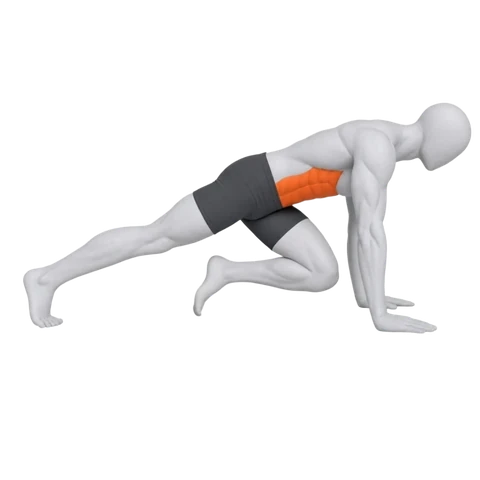
Both are the right asset; the mistake is reaching for the second where the first was the answer. Which makes the rule dull: stills for lists and cards, the 3 MB where the user is studying the movement.
| UI context | Asset | Delivery size |
|---|---|---|
| Search results, exercise grids | Still | 320–480 px |
| Workout cards | Still | 480–640 px |
| Exercise detail page | Still poster, animation on demand | 640–960 px |
| Full-screen viewer | Animation | 960 px |
| Fixed background, several clips at once | MP4 derivative | 480–960 px |
What ships, and what you build yourself
This changes your build step, so it is worth being explicit. The bundle contains one size per asset:
images/{classic|flat}/{slug}-{start|peak|main}.webp   1024×1024, classic is transparent
images/animations/{slug}.webp                         960×960, transparent, ≤20 fps
Two rules keep those paths correct. Most movements have a start and a peak, but 84 have a single pose and ship -main in both styles, so take the variants from the record rather than assuming a pair. And a few close variants reuse another exercise’s artwork through image_alias — which is why 450 animated records map to 442 clip files:
const slug = exercise.image_alias ?? exercise.id;
const variants = exercise.images[style];       // ["start", "peak"] or ["main"]
const src = `images/${style}/${slug}-${variants.at(-1)}.webp`;
const clip = exercise.animation ? `images/animations/${slug}.webp` : null;
There is no 320/480/640 ladder in the archive. Generate those once at build time — the cheapest win available, because WebP size scales with pixels, not with your CSS:
| Re-encoded from the 960px clip | Share of the original bytes |
|---|---|
| 640 px | 63% |
| 480 px | 44% |
| 320 px | 27% |
(Six clips, re-encoded with the settings the bundle ships with: quality 90, method 4, exact alpha. Stills track it closely — twelve of them re-encoded from the 1024px master came out at 61%, 44% and 27% for the same three sizes.)
Decoding scales harder than the bytes. Measured with the browser’s ImageDecoder across four clips, a 960px frame costs 4.5–5.4 ms against 0.8–1.1 ms at 480px — 5× the CPU per frame. A card rendering at 240 CSS px needs neither the bytes nor that decode.
If you want to run your own resize step against the real masters before deciding, the preview bundle ships the production files.
Not every exercise needs motion
A plank, a dead hang, a static stretch: nothing to animate. In the current build 450 exercises carry an animation and 68 ship as stills on purpose, and every record says which it is:
if (!exercise.animation) {
  renderStill(exercise);            // isometric hold — nothing to loop
} else if (isDetailView || userRequestedMotion) {
  renderAnimation(exercise);        // 960px clip, 3.2 MB median
} else {
  renderStill(exercise);            // catalogue: 46 KB
}
Branch on the field, never on whether a file happens to exist. The animation library shows what the clips look like in a UI — Side-Lying Lateral Raise, Bent Arm Barbell Pullover, Incline Dumbbell Curl and Reverse Grip Lat Pulldown among them.
The cheap middle ground: crossfade the two poses
Between a 46 KB still and a 3.2 MB clip sits a third option, because the bundle ships two stills for most exercises — start and peak. Alternate them and the card reads as motion without loading a clip. How you build that loop matters:
| Approach for one exercise | Bytes at 480 px | Share of the motion clip |
|---|---|---|
| The two stills, crossfaded in CSS | 39 KB | 1.7% |
| A baked two-pose animated WebP | 265 KB | 10.8% |
| The 960px motion clip | 3.2 MB | 100% |
Baking the crossfade into an animated WebP costs 6.6× more than shipping the two stills — the blended intermediate frames are new image data to encode. Let the browser blend instead:
.pose-loop { position: relative; }
.pose-loop img { position: absolute; inset: 0; }
.pose-loop .peak { animation: pose-fade 1.6s ease-in-out infinite alternate; }

@keyframes pose-fade { from { opacity: 0 } to { opacity: 1 } }

@media (prefers-reduced-motion: reduce) {
  .pose-loop .peak { animation: none; opacity: 1 }
}
Two 20 KB images and four lines of CSS. Not a substitute for a real clip on a detail page — a crossfade skips the path between the poses, which is the information a motion clip carries — but for a list that wants a hint of movement, two orders of magnitude cheaper.
Transparency is the thing you cannot add later
A transparent asset sits on a white card, a dark theme, a brand surface, a photo, or a round avatar with no square around the figure. Everything else in this post is a resize. Transparency is the one property you cannot generate after the fact — recovering it from a flattened image means re-rendering the exercise.
It carries weight. Compositing the same six clips onto a solid colour and re-encoding with identical settings made them 2.56× smaller (median): 3387 KB → 1381 KB for Incline Dumbbell Curl, 2186 KB → 1049 KB for Side-Lying Lateral Raise.
The direction matters more than the number. Hold the transparent version and a fixed-background variant is one command away — including an MP4 at roughly 5% of the bytes (median of six clips). Hold only the flattened one and every future theme, brand colour or dark mode is a re-export you cannot do. Animated WebP vs MP4 measures that conversion end to end.
Choose the resolution from the rendered size
A 960×960 source is not small because CSS displays it at 240×240. The browser still downloads, decodes and holds an image surface at the source dimensions.
delivery pixels = rendered CSS pixels × target device pixel ratioA 240px card on a 2× screen wants roughly 480 physical pixels. For stills, generate the ladder at build time and let the browser pick:
<!-- your build output, generated from images/classic/glute-bridge-peak.webp -->
<img
  src="/img/exercises/glute-bridge-480.webp"
  srcset="
    /img/exercises/glute-bridge-320.webp 320w,
    /img/exercises/glute-bridge-480.webp 480w,
    /img/exercises/glute-bridge-640.webp 640w,
    /img/exercises/glute-bridge-960.webp 960w"
  sizes="(max-width: 640px) 50vw, 240px"
  width="480"
  height="480"
  loading="lazy"
  decoding="async"
  alt="Glute Bridge"
>
srcset works the same way for an animated WebP — the browser still picks by layout size. What it cannot decide is whether this card should be showing motion at all; that stays a decision in your code.
Screen by screen
Grids and search results
Stills, 320–480 px, lazy-loaded below the fold. The user is scanning names and equipment, not studying technique. Hover previews are a fine desktop enhancement; just do not let the grid animate on load.
Workout lists
Stills. If motion helps, animate the selected exercise only — a five-exercise workout does not need five clips decoding at once to communicate five names.
Exercise detail pages
Poster immediately, animation when the page is active or the user presses play.
Full-screen viewing
Here the 960px clip earns its 3 MB: the user asked to study the movement, and nothing else competes for the decode budget.
One clip at a time
Whatever you pick, do not play a screenful of it at once. In a twelve-card grid, twelve animated masters need roughly 1.1 seconds of decode per second of playback, and twelve autoplaying MP4s halved the frame rate of a desktop browser with nothing else to do. The measurements, and the loading patterns that avoid this, are in lazy-loading exercise animations.
A default policy
- Catalogue and search: 320–480 px stills, lazy-loaded.
- Workout cards: 480–640 px stills.
- Detail view: still poster first, animation on demand.
- Full screen: the 960 px clip.
- One animation active at a time, whatever the format.
- Fixed background and lots of motion: benchmark an MP4 derivative.
- Respect
prefers-reduced-motion.
One resize step in the build, one loading rule in the UI. What matters is holding assets that survive the treatment: a transparent master resizes, re-themes and re-encodes cleanly; a flattened one does not.
FAQ
Should every exercise card use an animation?
No. At a 70:1 size ratio, a catalogue of animated cards costs two orders of magnitude more than the same catalogue of stills, and usually adds little while users are scanning names. Motion earns its place once someone stops on one exercise.
Is a transparent WebP always larger than an opaque one?
Not always, but in this corpus it is consistently around 2.5× larger for animations. Transparency buys placement flexibility; it is not free.
Is 960×960 the required display size?
No. It is the delivery size for detail and full-screen views. Generate smaller derivatives for cards — 480px costs 44% of the bytes and about a fifth of the decode time per frame.
Does the bundle include multiple sizes?
No — one still per pose at 1024px and one clip per exercise at 960px. Derivatives are a build step on your side, which also means you control the quality settings.
Where can I inspect the real files first?
The preview viewer runs the production assets in a browser, and the animation library shows the clips on light and dark surfaces. Full catalogue and licensing on the pricing page.
Method
Sizes measured on the current build: 936 stills in images/classic, 442 clips in images/animations — fewer clip files than the 450 animated records, because close variants of an exercise reuse the base movement’s clip. Per-clip experiments (resolution ladder, alpha cost, decode time) use six clips spanning 1.3–5.1 MB, re-encoded with the settings the bundle ships with (quality 90, method 4, exact=True, disposal 2) so they stay comparable to the originals. Decode cost is measured in Chrome with ImageDecoder, every frame of four clips (34–99 frames), best of three passes. The crossfade figures come from eight exercises: a twelve-frame start↔peak loop built from the shipped stills at the same encoder settings, against the two stills on their own at the same resolution.