 RepDB
Exercise GIF Library for Workout Apps: Sources and Sizes
Where to get exercise GIFs for a workout app: GIF bundles, MP4 libraries you convert, and RepDB's ready-made GIF, MP4 and transparent WebP, with measured sizes.
An exercise GIF library for an app comes from one of three places: a dataset sold as GIFs, a video library you convert yourself, or a transparent master that ships with GIF copies already made. RepDB Standard is the third kind. It contains 551 looping exercise animations as transparent animated WebP, plus a ready-made GIF and MP4 of every one at 512×512 on white, for $499 once. The male character is included; a female character covering the same exercises is an optional add-on.
This page compares those sources, shows what a GIF costs in bytes on a real library, and says when a GIF is still the right file.
See the animations in the free preview →
Disclosure: I build and sell RepDB. Other products are described from their own public pages, with the date each was checked. Nothing here is a review of a paid catalogue I did not buy.
Where exercise GIFs come from
| Source | Animation file you receive | Background | Characters | Price |
|---|---|---|---|---|
| RepDB Standard | Transparent animated WebP at 960×960, plus ready-made GIF and MP4 at 512×512 | Transparent master; GIF and MP4 copies on white | Male; female add-on covers the same exercises | $499 once; female add-on +$99 |
| ExerciseDB.io | GIF: 180 and 360 px (Starter), 180 to 1080 px (Pro) | Opaque in the samples inspected in July | Generally male only, per its FAQ | $199 / $599 once |
| AscendAPI (hosted ExerciseDB) | GIF by URL from an API: 180 px on the free V1, larger on paid plans | Not reviewed | Not reviewed | Free V1; paid plans through RapidAPI |
| MoveKit | MP4 only; you make the GIF yourself | Light background | One figure; no female version, per its own comparison | €3.99 a clip; €219 for all 588 |
| Vital Animations | MP4 at 1080 px; you make the GIF yourself | Not stated on its product pages; opaque in the free pack inspected in September | Male and female gym collections from the Gym Pro tier | $149 (800+) / $299 (1,500+) once |
| free-exercise-db | JPG photos; no animation | Photo | Real people | Free (Unlicense) |
ExerciseDB.io, MoveKit and Vital Animations were checked on November 10, 2026; the AscendAPI row on October 19 and free-exercise-db on October 4. Sources and what was not checked are listed at the end.
Three things in that table decide most projects:
- Who makes the GIF. A video library gives you MP4. Turning several hundred clips into GIFs is a batch job you then own: palette, frame timing, loop flag and a size your screens can carry.
- Whether the background is yours to choose. A GIF or MP4 has its background painted in. If your app has a dark theme or a brand colour, you need a source with real transparency to render from.
- Whether both characters cover the same exercises. If a user can pick a female figure, every exercise in their plan needs one.
What a GIF costs in bytes
These are the 551 clips RepDB ships for its male character, measured on November 14, 2026. The GIF and the MP4 are the same clip at the same 512×512 on white. The WebP is the full-quality master you export other formats from, not the file a screen has to load.
| File | Background | Median clip | Middle 80% of clips | Whole library |
|---|---|---|---|---|
| GIF, 512×512 | White | 2.4 MB | 1.4 MB to 4.4 MB | 1.5 GB |
| MP4 (H.264), 512×512 | White | 89 KB | 50 KB to 145 KB | 53 MB |
| Animated WebP master, 960×960 | Transparent | 3.2 MB | 1.8 MB to 5.5 MB | 2.0 GB |
At the same size, the GIF is about 27 times the MP4. GIF stores at most 256 colours per frame and has no video-style compression between frames, so a shaded figure costs megabytes. Encoder settings do not rescue it: on 14 test clips, changing the dither or the frame-difference mode moved the size by a few percent either way. Only fewer pixels or fewer frames make a GIF meaningfully smaller.
The WebP row is larger than the GIF because it is a different job: nearly four times the pixels, full colour and a real alpha channel. It is the master you render other files from, not what a list screen should download. For an app screen, scale it down first; the WebP and MP4 comparison has measured sizes for that.
Here is one clip from the table, exactly as shipped, on this page’s dark background:
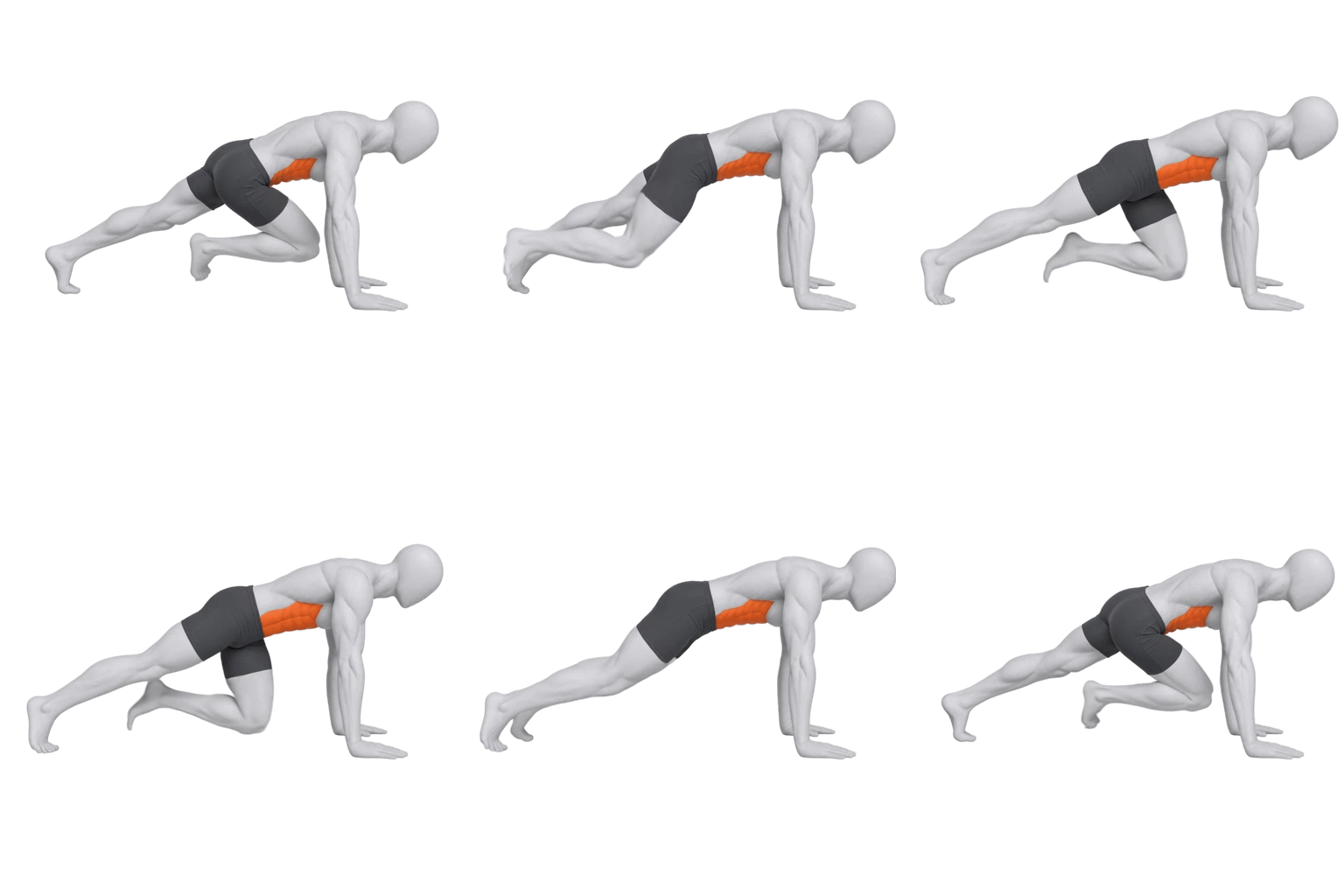
GIF, 512×512 on white · 1.2 MB
MP4, 512×512 on white · 59 KB
Transparent WebP, 512×512 · 572 KB
The same 34-frame loop. The GIF carries its white square everywhere it goes; the transparent file takes whatever surface is under it. The MP4 is the same picture as the GIF at a fraction of the weight.
When a GIF is still the right file
A GIF is an image, and that is its whole advantage: it plays wherever an image is allowed and no video is.
- Email. Most mail clients will not play a video in the message body; an animated GIF plays in most of them. Workout-plan emails and onboarding sequences are the common case.
- Chat, documents and wikis. Coaching chats, support replies, internal docs, READMEs and help-centre articles usually accept an image upload and nothing else.
- Slides and exported plans. Presentation tools and many page builders loop a GIF without a player.
- A CMS or no-code builder with an image field. If the tool gives you an image slot, a GIF is the animation that fits it.
Inside your own app or site, where you control the markup, prefer MP4 for a fixed background and transparent WebP for a themed one. A list of twenty exercises as GIFs is about 48 MB of downloads at the median above; as MP4 it is 1.8 MB.
Transparent exercise GIFs
GIF has no partial transparency. Each pixel is either fully opaque or fully clear, so a soft, shaded edge turns into a hard fringe of leftover background colour around the figure. That is why exercise GIFs are sold on a solid background, and why RepDB’s ready-made GIFs are on white.
If you need the animation on a dark screen, a brand colour or over a photo, use the transparent WebP directly, or render a GIF or MP4 from it onto that exact colour. The WebP is the file that makes this possible; an opaque GIF or MP4 cannot be un-painted without cutting the figure out again frame by frame.
Male and female, the same exercises
A GIF library is only as useful as its coverage. If your app lets a user choose the figure, every exercise in a saved workout needs a version in both.
Male
Included in Standard
Female
Optional add-on · +$99
RepDB’s female add-on (+$99) covers every exercise in Standard, with the same exercise IDs and file paths, and brings its own ready-made GIF and MP4 copies. Among the libraries above, Vital advertises male and female collections in its Gym Pro tier; its live exercise browser listed 592 male and 305 female gym exercises on October 5. MoveKit’s comparison article states it has no female version.
The muscle heatmap is a separate asset
Every exercise clip already shows which muscles that exercise works: they are highlighted on the figure. A muscle heatmap answers a different question, about the user rather than the exercise: what have I trained this week?
For that, RepDB Standard includes a set of transparent body layers, front and back, covering 37 muscle areas with independent left and right sides. Your app stacks the layers and sets each one’s colour and intensity from its own training data, in any combination. The female add-on contains the same set for the female figure.
The MoveKit and Vital pages reviewed on November 10 describe muscle data per exercise and do not list a separate muscle-map asset. MoveKit’s comparison article says the worked muscles show in red on the figure “so nobody needs a separate diagram”. That holds for explaining one exercise. A progress screen, a weekly summary or a recovery view needs the map.
What you can ship
- Paid RepDB files. The GIF and MP4 copies are the same clips as the WebP animations in another format, under the same commercial license: your own apps, sites and products under your own brand. Work delivered under a client’s brand needs Custom.
- The free preview. It contains the full-quality assets for a sample of exercises, MP4 samples of every preview clip and GIF samples for six exercises per character, under CC BY-NC 4.0 with attribution. That covers evaluation, including inside a company; production use needs the paid license.
- Other sources. A GIF being easy to download says nothing about whether you may ship it. Read the terms for redistribution, caching and commercial use before a file goes into a build. Hosted APIs in particular often forbid keeping copies.
Questions people ask
Is there an exercise GIF library I can use in a commercial app?
Yes. RepDB Standard licenses 551 exercise animations for commercial use in your own products, as transparent animated WebP with ready-made GIF and MP4 copies, for $499 once. ExerciseDB.io sells GIF bundles with a commercial license at $199 and $599. MoveKit and Vital Animations sell MP4 libraries you can convert to GIF.
Can I get exercise GIFs with a transparent background?
Not usefully. GIF supports only on-or-off transparency, which leaves a fringe around a shaded figure. For a transparent exercise animation use animated WebP: RepDB’s clips are 960×960 with a full alpha channel, and you can render a GIF from them onto any solid colour.
How big is an exercise GIF?
At 512×512, the median across 551 RepDB clips is 2.4 MB, with most between 1.4 MB and 4.4 MB. The same clips as MP4 have a median of 89 KB.
Do the GIFs come with exercise data?
RepDB’s do. Each clip is named by the exercise slug used in the JSON and SQLite files, which carry names, instructions and tips in English, German, Spanish and French, muscles, equipment, difficulty and links to alternative exercises.
Can I see single exercises before downloading anything?
Yes. The exercise GIFs page and the animation gallery play the preview clips in the browser, and each has its own page, for example mountain climbers, pull-up and front squat.
Sources and method
- RepDB. Catalogue counts are read from the shipping data when this page is built. File sizes were measured on November 8, 2026 across all 551 male clips: GIF and MP4 at 512×512 on white, and the 960×960 transparent WebP masters. “Middle 80%” is the 10th to 90th percentile. The single-clip figure uses the mountain climbers files served on this page.
- ExerciseDB.io. Pricing page, checked November 10, 2026: Starter at $199 with 180 and 360 px GIFs, Pro at $599 adding 720 and 1080 px, 1,394 exercises, one-time, future updates not included. The background and male-only notes come from its public sample bundle inspected in July and its FAQ checked October 4.
- AscendAPI. Its ExerciseDB V1 docs, checked October 19, 2026.
- MoveKit. Its library page, home page and its own comparison of animation libraries, checked November 10, 2026. Format, background, figure and price are as stated there; prices were shown in euros to an EU visitor. No MoveKit files were purchased or inspected.
- Vital Animations. Home and pricing pages, checked November 10, 2026: an MP4 demo per exercise, 1080 px, Gym Pro at $149 with male and female collections, Complete Collection at $299. The male and female counts are from its live gym exercise browser on October 5. No paid Vital files were inspected.
- free-exercise-db. Its repository, checked October 4, 2026.